Mobile · iOS · Android · August 2018
Vamos de Fiesta
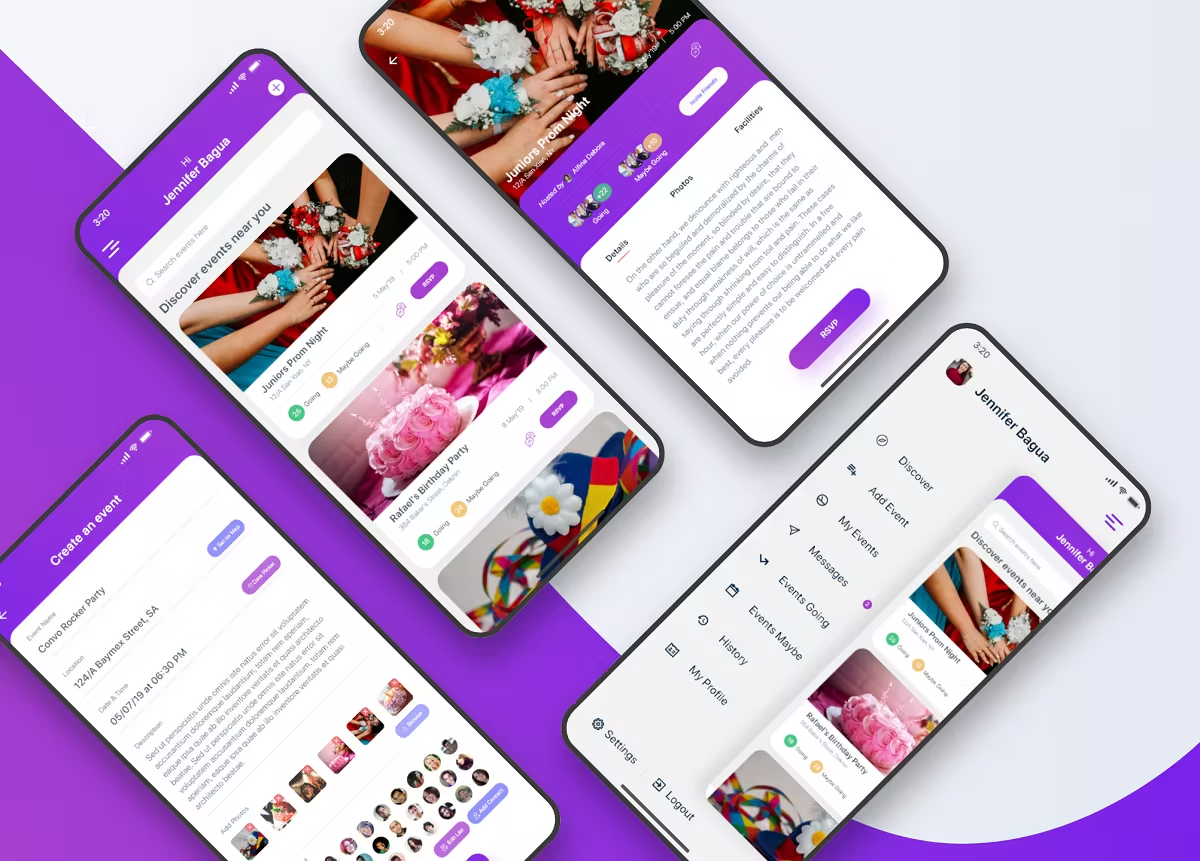
A small mobile app for creating and managing events on the go — discover what's near you, RSVP with an exact head-count (kids included), and invite friends straight from contacts in a few clicks.
The problem
Everyone has to plan events and invite guests at some point. The traditional way — phone, paper, group chats — is slow. Sharing schedule details, photos, and facilities across guests is another hassle.
The job: solve all of that in a user-friendly, convenient flow.
Objectives
- Easy creation of events and inviting guests
- Event discovery by location
- Search events by name or location
- User-friendly, dynamic event info — schedule, map, photos, guest count, RSVP
- Chat with the event host for clarification
- RSVP dynamically with number of guests (including kids)
The process
- Research
- Synthesising research and competitor analysis
- Paper prototyping
- Visual design
- User testing and conclusion
01 · Research plan
By this point I knew the problem, the audience, and the goals — time for ideas. People aged 16 to 35 attend the most events and bring the most enthusiasm. I analysed the apps that age range already used heavily, and held tight to the brief: event creation and invitation in the fewest clicks possible.
02 · Synthesising research
I synthesised audience data and app-usage patterns. The pattern was clear: this audience wants clean event listings — photos, details, total guests — not a cluttered grid. Anything more would be a mistake. The signal: lean into clarity, drop unnecessary features.
03 · Paper prototyping
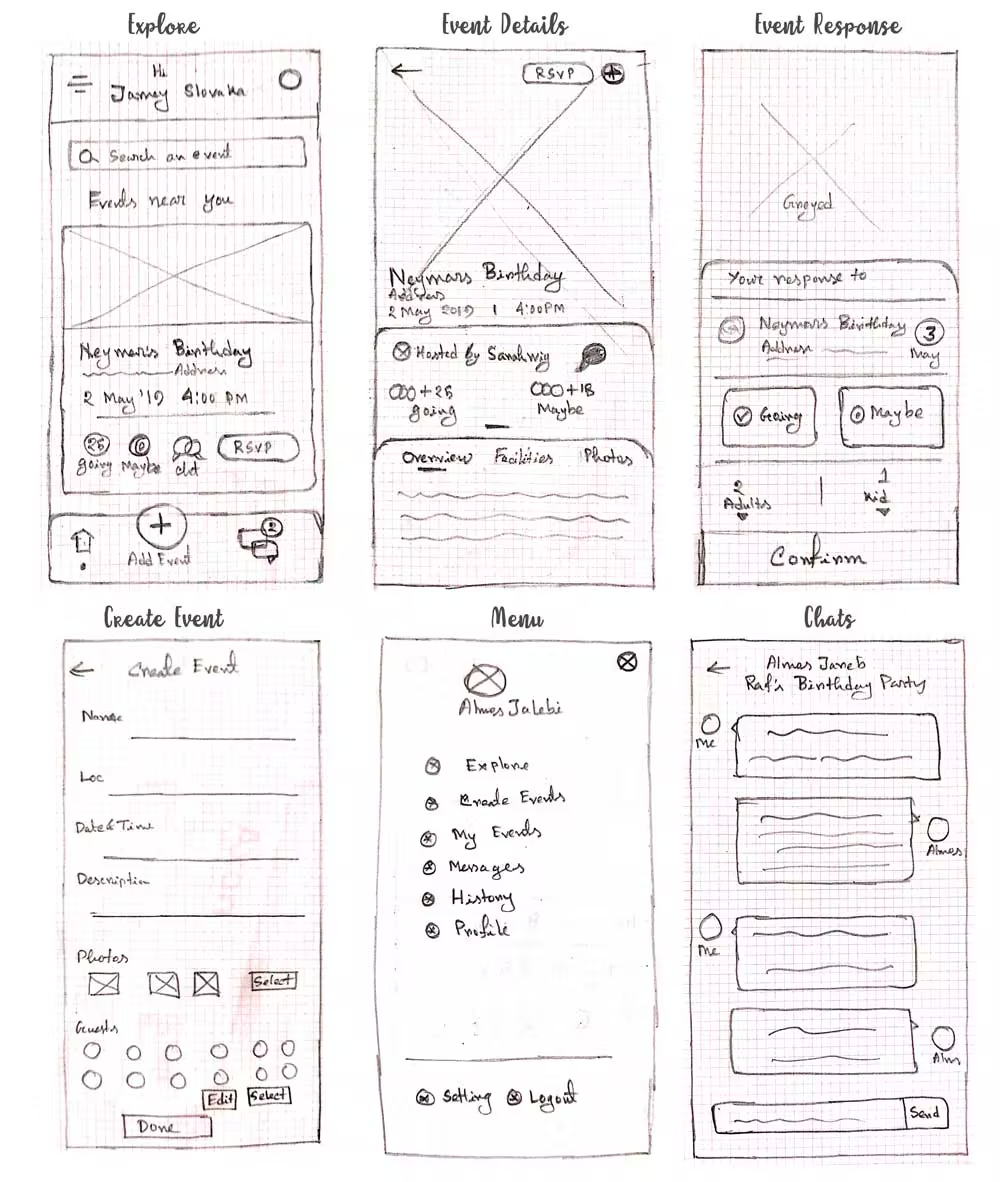
I always start with pen and paper — fastest, cheapest, easiest to iterate. I sketched many different ideas, analysed them, then pulled out the key concept.
04 · Visual design
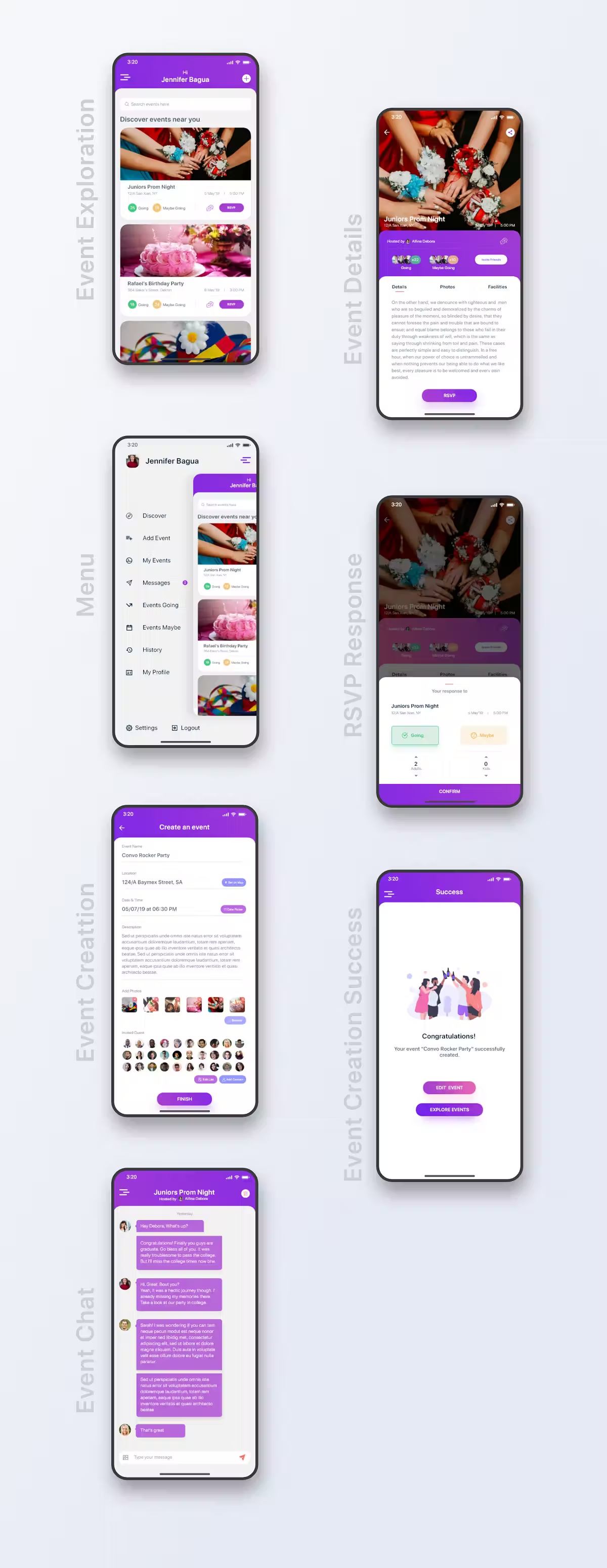
By this stage I knew the basic functions for each screen. I took the strongest paper sketches into Adobe XD and built high-fidelity static screens, then strung them into a clickable prototype for realistic interaction and scroll behaviour.
Colour palette
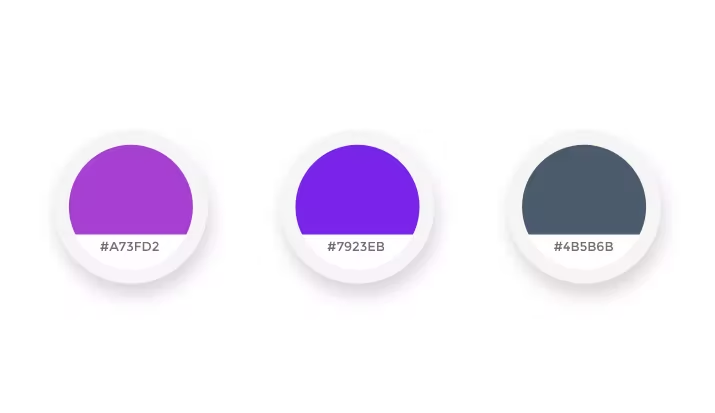
Research surfaced a set of triggering colours for this age range. I tested all of them in the primary digital design and settled on three — appealing and pleasing together.
Typography
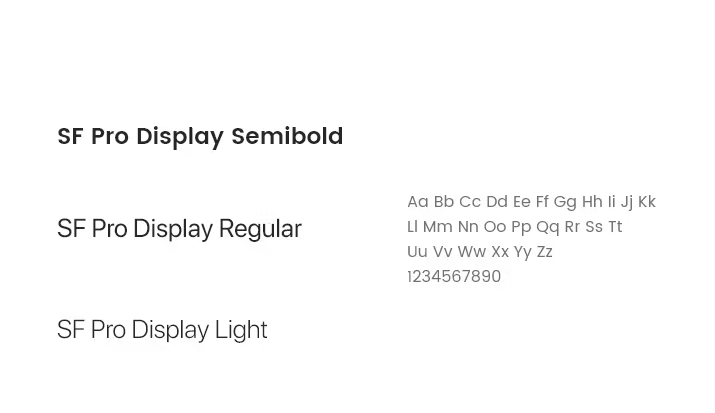
SF Pro Display throughout — one of the most elegant faces for this kind of consumer app. Typography consistency was maintained across the whole design.
05 · User testing & conclusion
Testing validates whether the design actually works. Time was short, but I guerrilla-tested the prototype on five people with a scenario similar to a real event-creation flow. People liked the way they could create events and invite guests, and were happy with how the RSVP flow worked across any event.